Objectives: 1. Sign up to Meetup, 2. Join Easy Rider group, 3. Turn on notifications
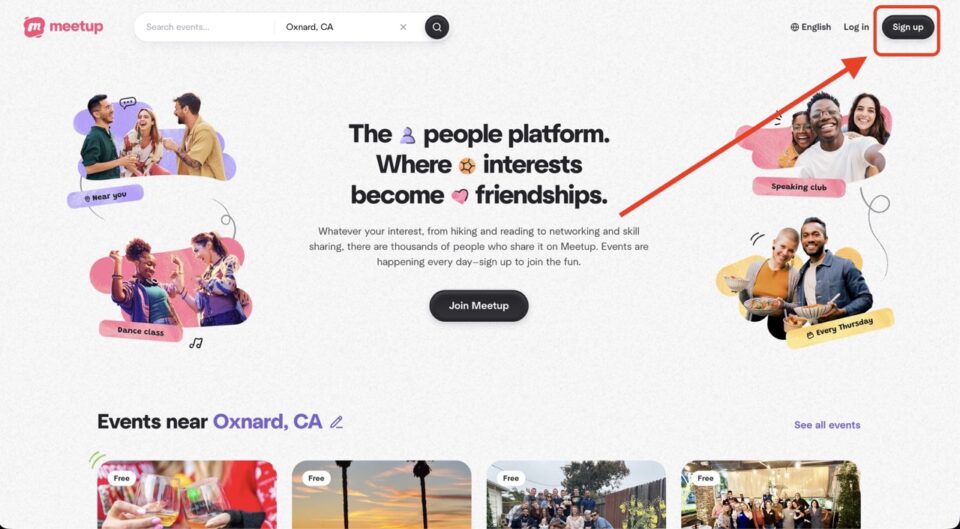

1. Click on “Sign up” in the upper right corner.

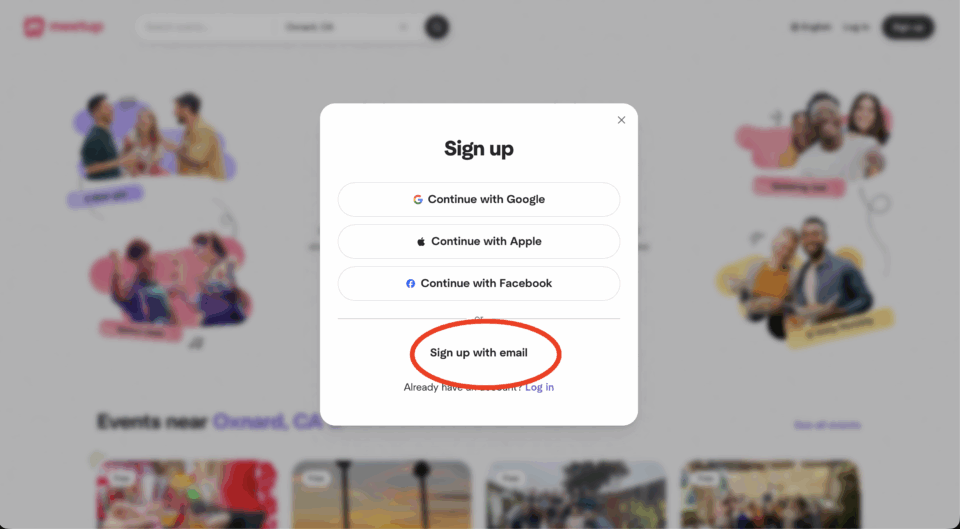
2. Click on “Sign up with email”.


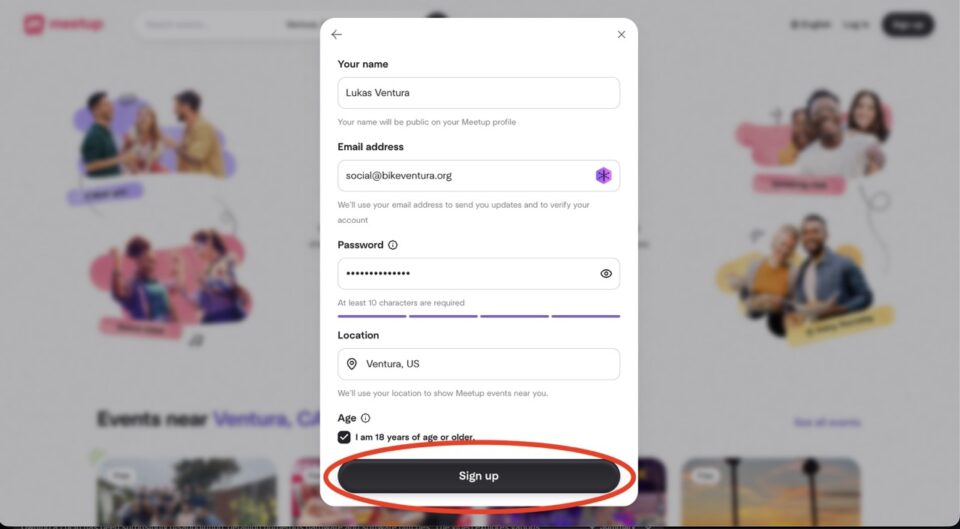
3. Fill in your name, email address, password and location. Then click on “Sign up”.

4. Open your eMail account and verify your Meetup account.
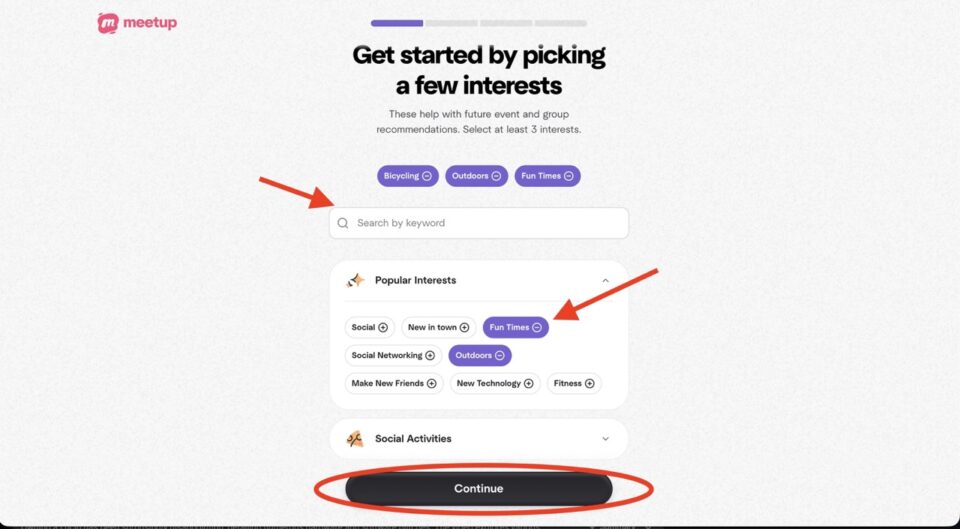

5. Choose at least three interest and then click on “Continue”.

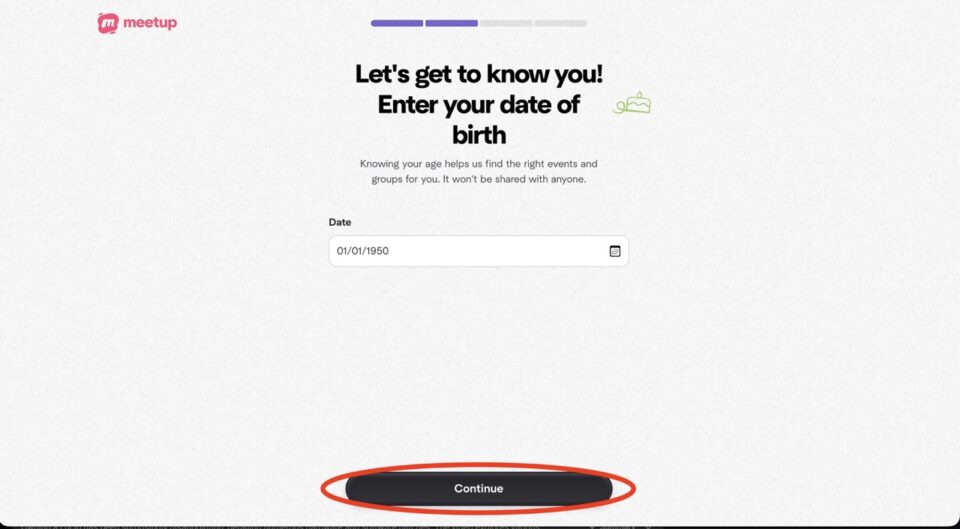
6. Enter you DOB and click “Continue”.

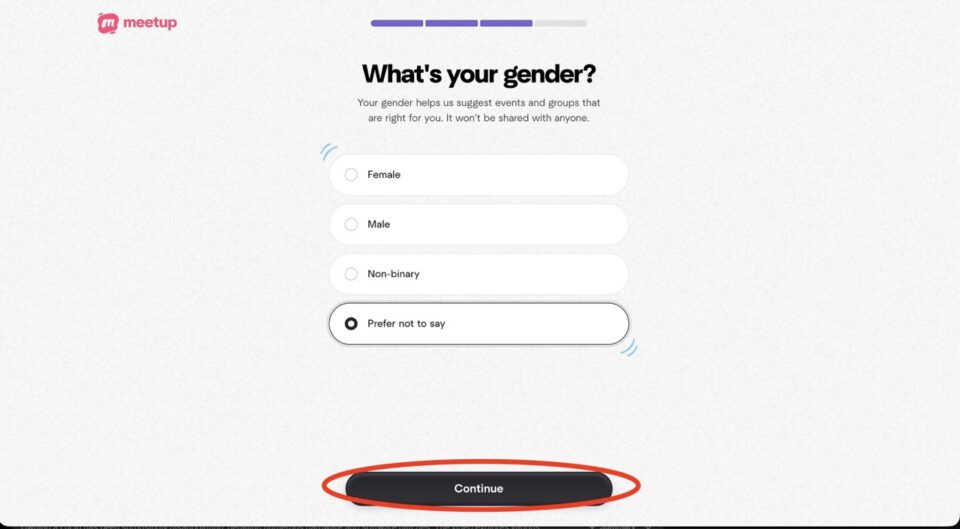
7. Select your gender and click “Continue”.

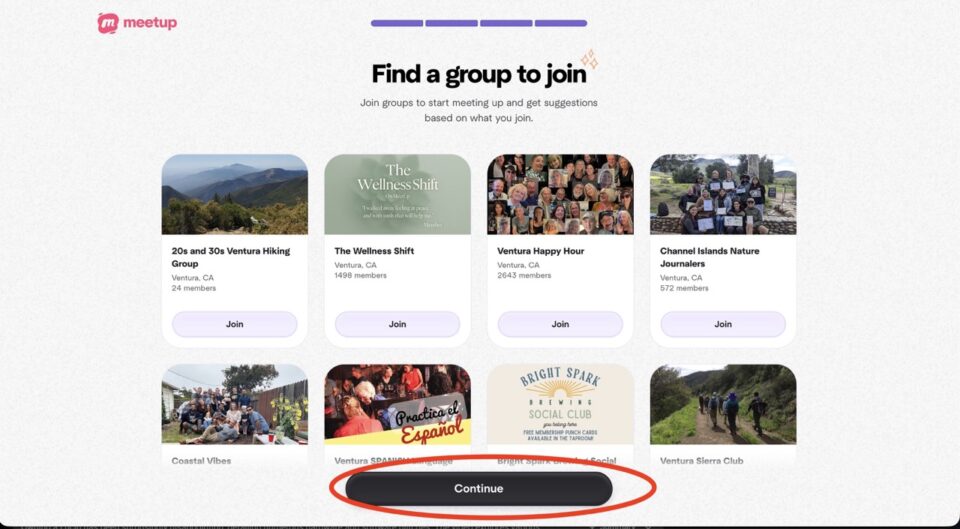
8. Click on “Continue”.

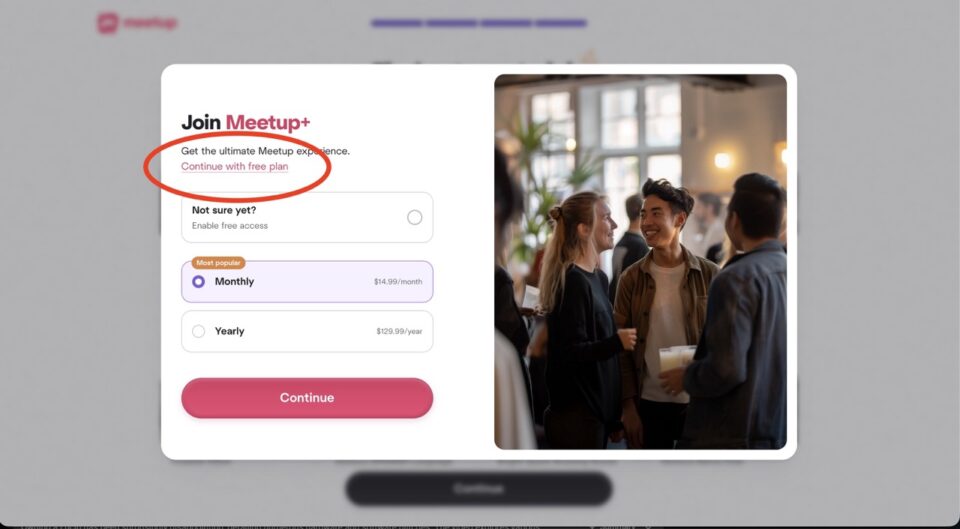
9. Click on “Continue with free plan”.

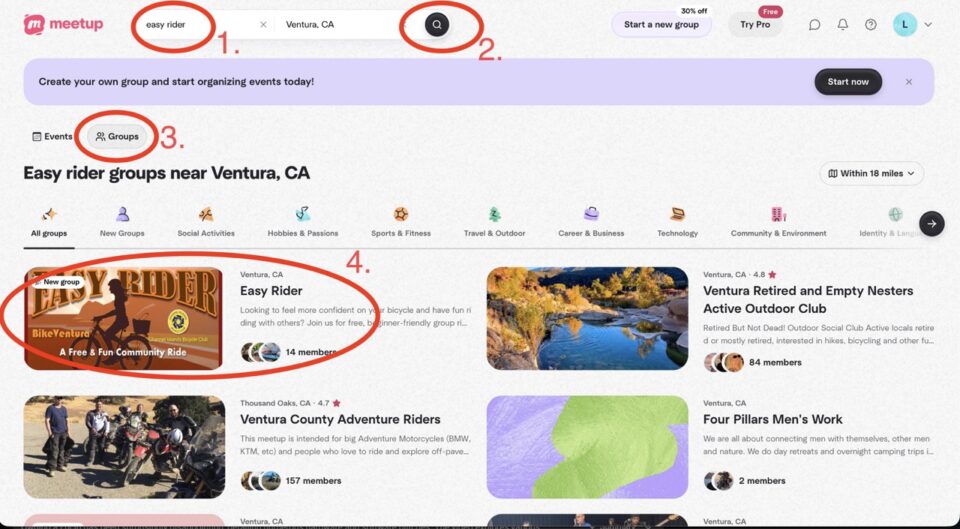
10. On meetup.com use the search bar at the top of the page to search for “easy rider”, select “Groups” and then click on the Easy Rider group.

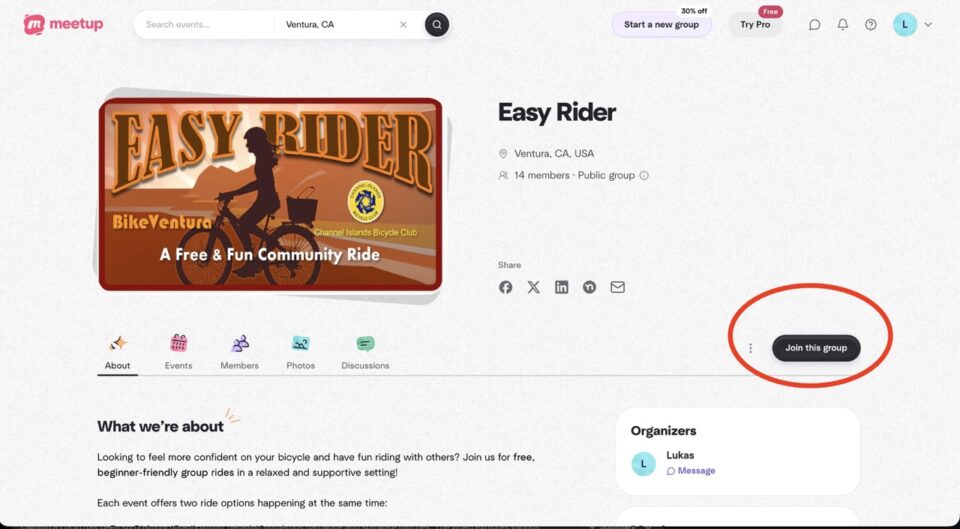
11. Click on “Join this group”.

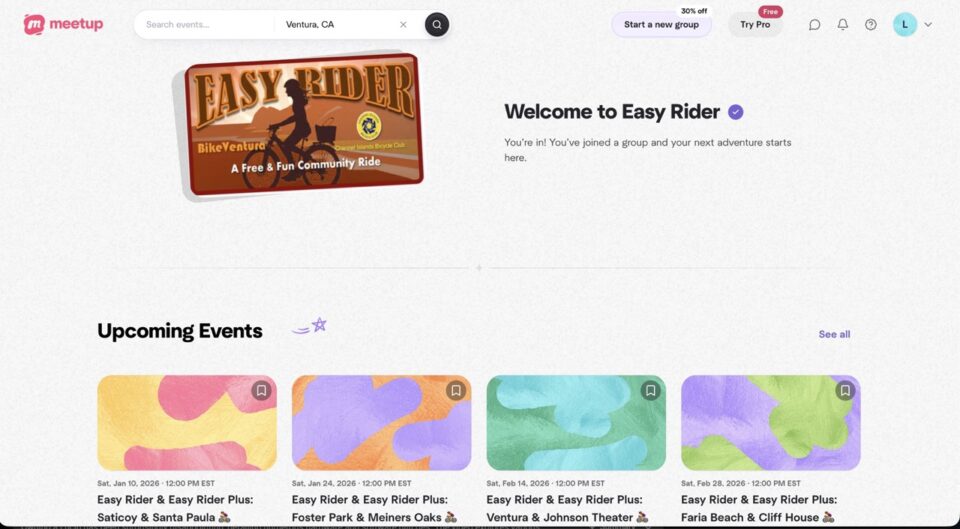
12. You’re now a member of the Easy Rider Meetup group. Here is the direct link: https://www.meetup.com/meetup-group-easyrider/

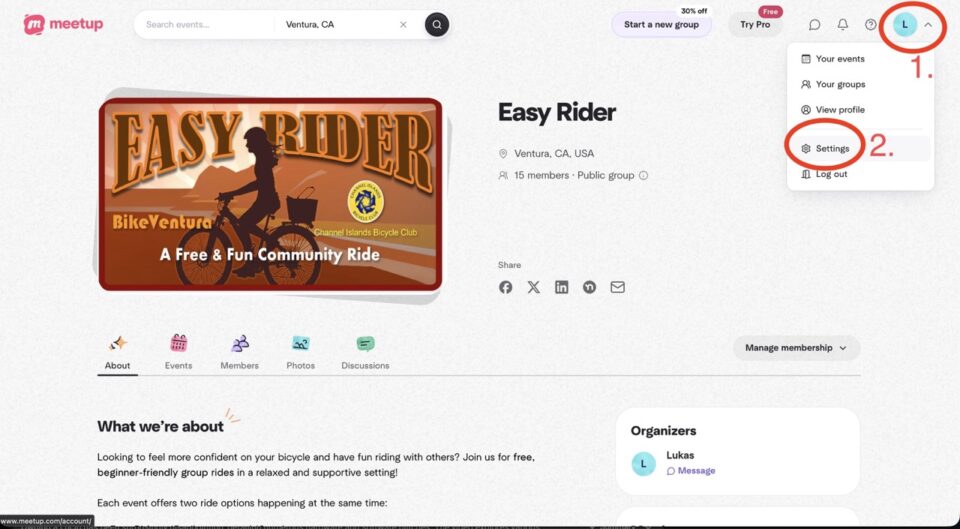
13. To change your notification/reminder settings, click on your profile (upper right corner) and then click on “Settings”.

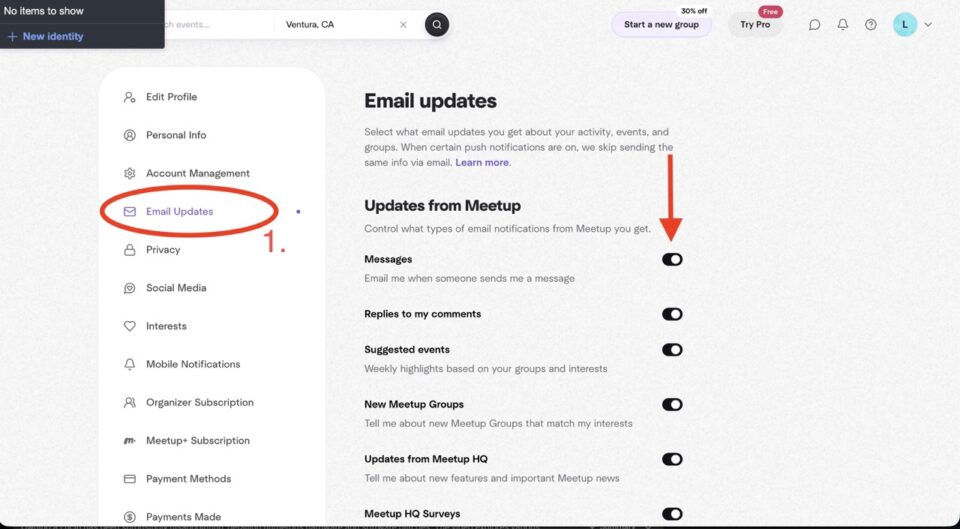
14. Click on “Email Updates” and then turn on ALL email updates. After that scroll down on the same page.

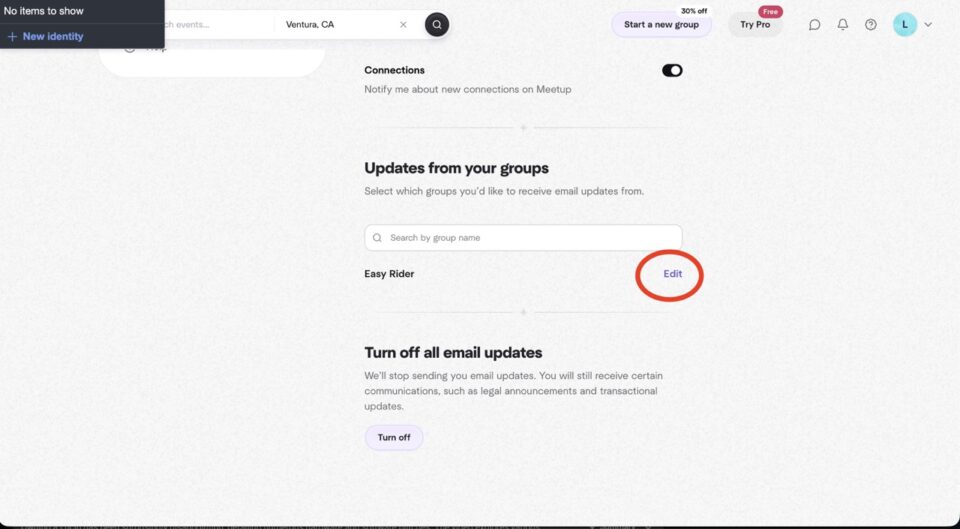
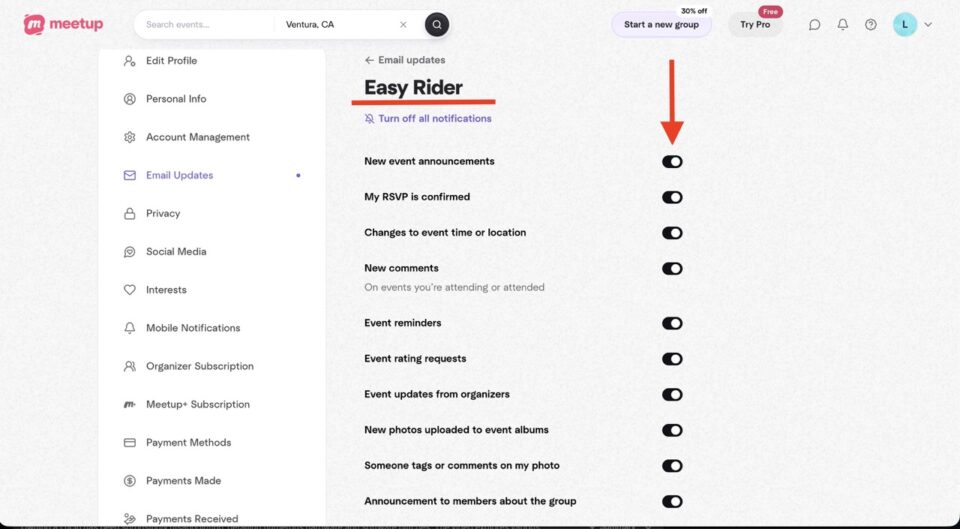
15. On the “Email Updates” page scroll down, until you see the “Updates from your groups” section and click on “Edit” next to “Easy Rider”.

16. Same as before, turn on all notifications.

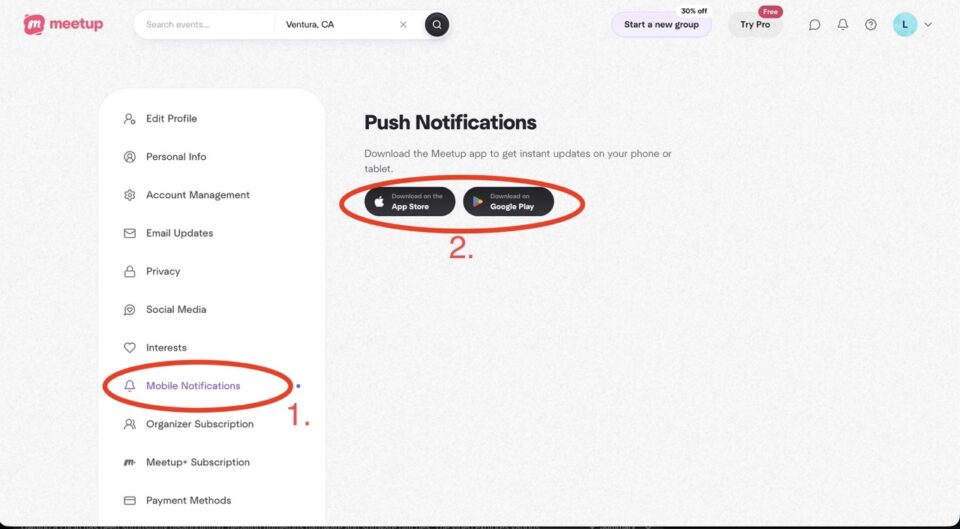
17. If you’d like notifications on your mobile phone, click on “Mobile Notifications” and then download the Meetup app on your phone.

Comments are closed.

Close Search Window